Haworth projections
Implementation notes and historical checks. Open the visual guide →.
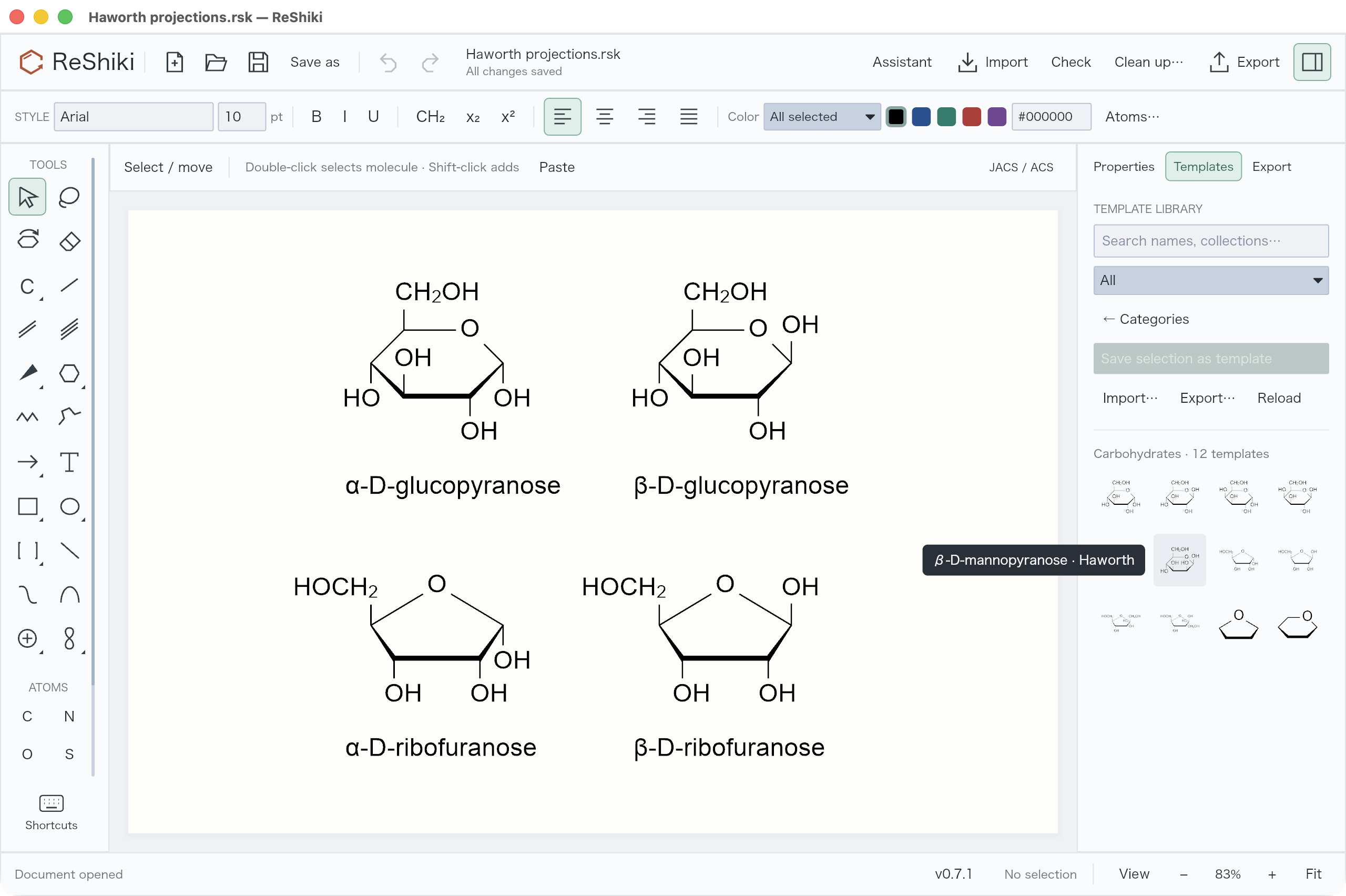
Haworth projections are available as editable ring outlines and chemically defined carbohydrate templates.
Draw a ring or place a sugar
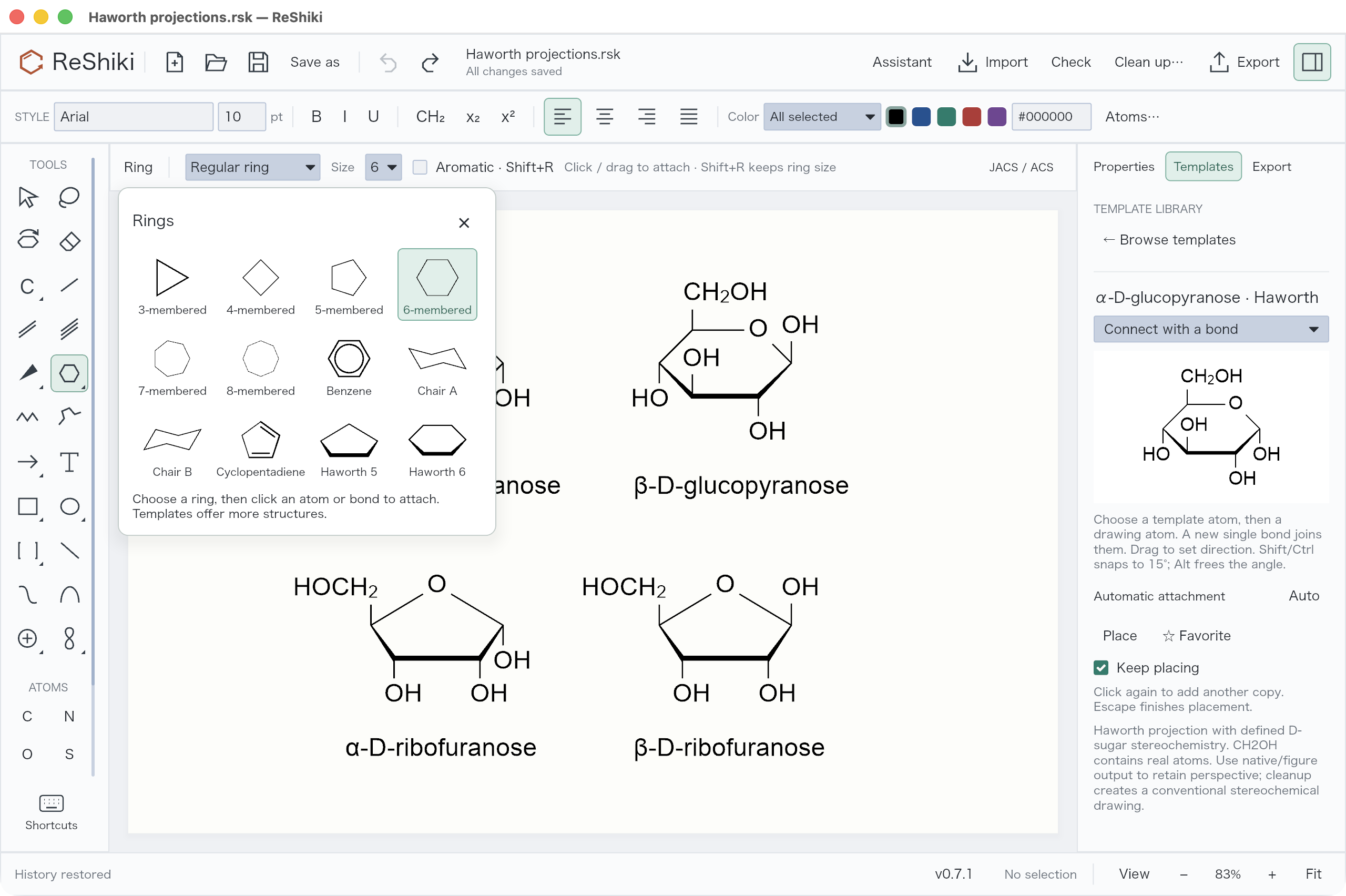
Section titled “Draw a ring or place a sugar”- Open the ring palette and choose Haworth 5 or Haworth 6 for a carbon ring outline. Click to place it; drag to rotate it. The front edge is bold and the two adjoining sides taper toward the back.
- Open Templates → Carbohydrates for oxygen-containing furanose/pyranose scaffolds and the α/β forms of D-glucopyranose, D-galactopyranose, D-mannopyranose, D-ribofuranose and D-fructofuranose. Search also accepts
Haworth,glucose,ribose,alphaandbeta. - Choose a template and click empty space to place it. Escape returns to Select. Placement, bond appearance changes and Undo/Redo use the existing editor controls.
The sugar templates contain real carbon and oxygen atoms. CH₂OH is a contracted two-atom fragment, so atom counts, formulas and molecular identifiers include its hidden atoms. Left-facing groups use HOCH₂ to keep the attachment on carbon. Expand a group with the usual abbreviation controls when individual atoms need editing.
Chemistry and appearance
Section titled “Chemistry and appearance”The ten named sugars have explicit tetrahedral configurations, including the anomeric center. Their formulas and standard InChIKeys are checked against independent PubChem records. The ring’s bold and tapered edges describe perspective; changing those edges’ appearance does not erase or create stereochemistry.
Blank ring outlines and oxygen scaffolds have no assigned stereochemistry. Adding substituents to a scaffold does not automatically infer a carbohydrate configuration. Moving an OH label above or below a ring also does not switch the stored anomer; choose the corresponding α/β template for that change. Automatic Fischer/Haworth conversion, arbitrary sugar recognition, L-sugar templates and glycoside assembly are not included.
The conventions follow the IUPAC Haworth drawing recommendations. This is a drawing projection, not an energy-minimized three-dimensional conformation. Cleanup can replace it with an ordinary stereochemical layout.
Save, copy and exchange
Section titled “Save, copy and exchange”| Output | Retained information |
|---|---|
Native .rsk |
Editable atoms, contracted groups, configurations and perspective styling |
| SVG, PNG, PDF and figure copy | Visible Haworth appearance |
| MOL / isomeric SMILES | Molecular connectivity and defined stereochemistry; MOL uses conventional stereo bonds and expanded groups |
| CDXML / CDX | The 14 supplied Haworth drawings retain editable structure, stereochemistry and perspective styling; inconsistent or unsupported projections are rejected |
Drawing MOL exports mark defined tetrahedral configurations as absolute. Without this flag, ChemDraw may place them in a relative &1 stereo group. The low-level reference writer retains RDKit’s default output for compatibility tests; the application writer sets the flag. See RDKit’s chiral-flag semantics.
Styled editable exchange checks the drawing against its stored stereochemistry. The supported convention has one bold front edge, two wedges widening toward that edge, a five- or six-member ring and unambiguous up/down substituents. Rotation and translation are supported. Moving a substituent across the ring plane without changing the stored configuration, mirroring the projection while retaining the original configuration, or distorting the ring can make the drawing inconsistent; editable export then reports an error. Native and figure exports remain available.
Import recognizes this convention in ChemDraw CDXML/CDX and ChemDraw-authored 2D V2000/V3000 MOL files. ChemDraw writes a MOL front edge as a wedge, so those files need their original bond directions retained during import. Treating all three front edges as ordinary stereobonds loses the configurations at the back of the ring. This recognition is limited to the tested convention, and does not provide general Fischer/Haworth conversion or arbitrary carbohydrate recognition.
See the complete ChemDraw format study for the 14-structure matrix, reproducible capture commands, clipboard formats and limits of each type of output.
Verification
Section titled “Verification”Computer-use checks against ChemDraw 26.0.0.6599 on macOS, September 24, 2026:
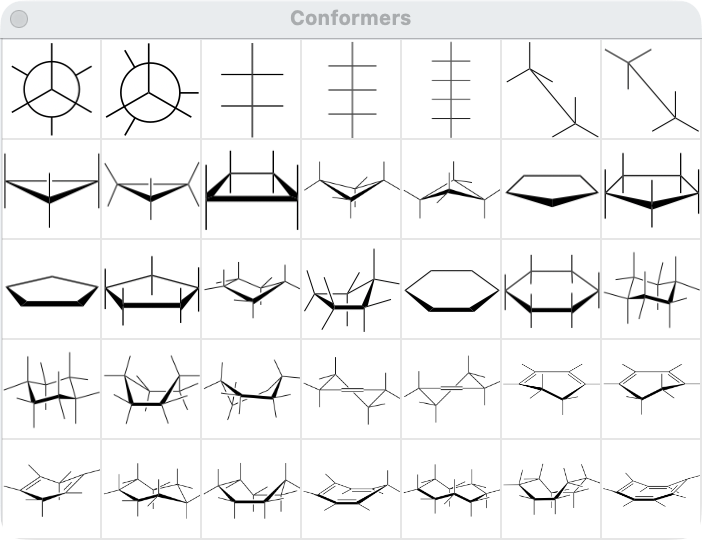
- Opened ChemDraw’s Conformers and Hexoses palettes, placed its five/six-member projection examples and inspected the front-edge geometry and substituent directions. The comparison below shows ChemDraw’s own Conformers palette.
- Opened all ten ReShiki sugar MOL exports in ChemDraw, selected each molecule and copied its SMILES from ChemDraw’s clipboard. All ten standard InChIKeys matched their independent PubChem records. The captured outputs are retained in haworth-chemdraw.json.
- The first MOL check exposed unwanted
&1relative-stereo labels. Repeating the import after setting the absolute flag removed those labels. This checks chemical interchange; the MOL file does not preserve the exact Haworth artwork. - In the optimized ReShiki desktop build, browsed the 12 carbohydrate templates, placed α-D-glucopyranose, checked one-step Undo/Redo, and placed a five-member Haworth outline with formula C₅H₁₀.
Automated checks cover all ten PubChem identities, α/β distinctions, substituent directions, actual CH₂OH atoms, five/six-member ring closure, rotation, copy/remapping, native round trips, molecular and figure exports, absolute MOL flags, perspective edge styling and editor Undo/Redo.
cargo run --locked --example haworth_qa -- artifacts/haworth-qa generates editable examples and exchange files for desktop checks. Generated output remains outside the tracked source tree.