Install ReShiki
1. Install uv
Section titled “1. Install uv”ReShiki uses uv 0.12.3 or later to set up its chemistry tools on your computer. You do not need to install Python separately.
In PowerShell:
winget install --id astral-sh.uv -eFollow the uv installer instructions.
2. Download and open
Section titled “2. Download and open”Choose a download on GitHub Releases.
| Your computer | Download ends in | Install |
|---|---|---|
| Apple Silicon Mac | macos-arm64.dmg |
Open, then drag ReShiki to Applications |
| Windows x64 | windows-x64-setup.exe |
Run setup, then open ReShiki from Start |
| Windows ARM | windows-arm64-setup.exe |
Run setup, then open ReShiki from Start |
| Linux x64 | linux-x64.tar.gz |
Extract, then run reshiki |
| Linux ARM | linux-arm64.tar.gz |
Extract, then run reshiki |
Windows setup installs for your account. Mac downloads are signed and notarized; Windows downloads are unsigned. Portable ZIP downloads are also available. Keep a portable download’s extracted contents together.
Upgrading from Moruno? Open your existing .moruno drawings normally. Templates, assistant preferences, and recovery drafts are copied on first launch; the originals stay in place. New drawings use .reshiki.
Mac requires Apple Silicon and macOS 14+. Windows x64 requires Windows 10/11; Windows ARM requires Windows 11 and uses its built-in x64 emulation for chemistry. Linux builds target Ubuntu 22.04+ on x64 and 24.04+ on ARM. Intel Macs are not supported.
3. Start drawing
Section titled “3. Start drawing”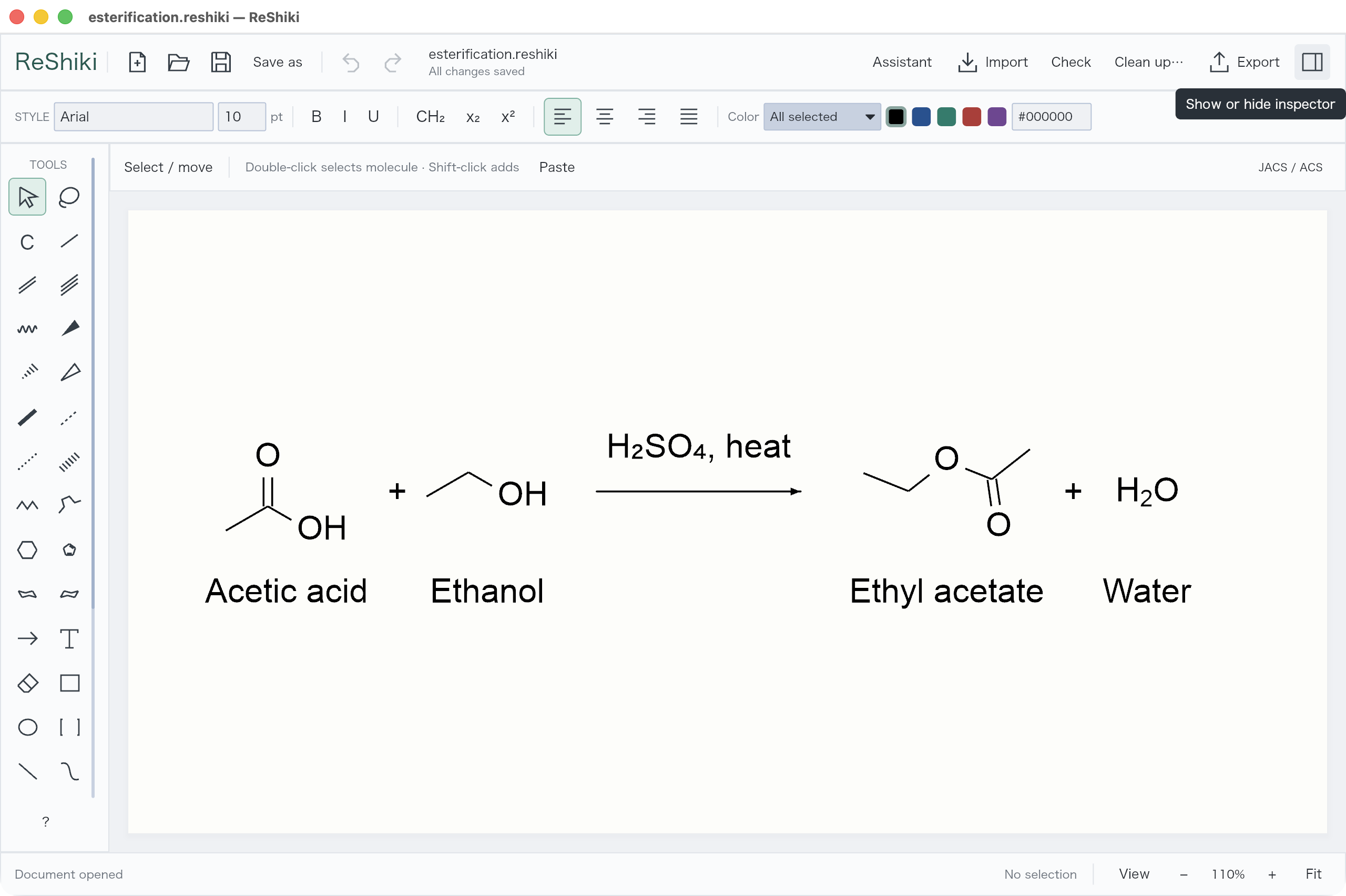
First use needs internet access to install the chemistry tools. Later drawing and chemistry checks work offline. The optional assistant needs a Codex connection.
Updates
Section titled “Updates”Click ReShiki at the top left → Check for updates. ReShiki also checks once a day in the background; turn off Check automatically here if you prefer.
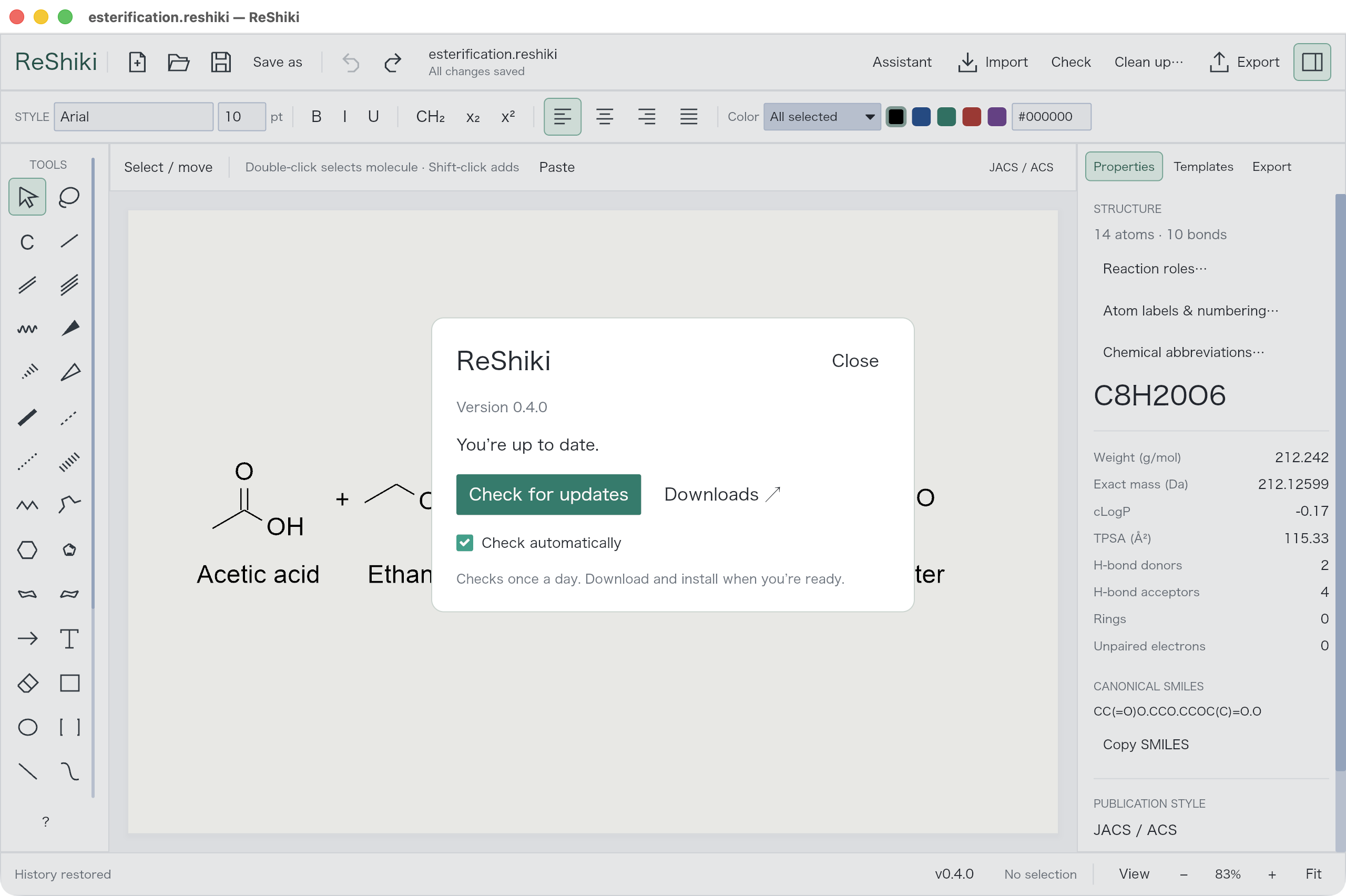
When an update is available, choose Download update, close ReShiki, and install the new version. Your drawings and settings stay in place. Updates are never installed while you draw.