Expand generic structures
A generic structure keeps element and group lists, variable attachment points and repeat counts in one drawing. Expand generic structures turns it into every concrete structure.
List elements or groups at one atom
Section titled “List elements or groups at one atom”- Select one atom and press Enter.
- Choose Automatic and type a list, such as
[Cl,Br,I]for one product per halogen or[OMe,OPh]for methoxy or phenoxy. - Choose Apply · Enter.
[NOT Cl,Br,I] means any atom except these. ReShiki keeps it, but does not expand it.
Let a substituent take several positions
Section titled “Let a substituent take several positions”- Select only the candidate atoms (2–300).
- Right-click and choose Attachment points → Variable attachment. You can also choose Variable under Properties → Labels & chemistry → Attachment points.
- Draw one single bond from the new
*handle to the substituent.
Expansion attaches the substituent to each candidate in turn. Multi-center attachment attaches to all selected atoms at once and is not expanded into positions.
Repeat one atom
Section titled “Repeat one atom”- Select an atom with exactly two single bonds and press Enter.
- Choose Automatic and type, for example,
[CH2]1-3.
Expansion makes one product each with one, two and three CH₂ groups.
Define a repeating unit
Section titled “Define a repeating unit”- Draw a bracket around the repeating atoms. Leave the end groups outside.
- Select the bracket. In the Repeating unit section of Properties, type
1-3in Repeats and choose Head to tail under Pattern. - Choose Define repeating unit, or press Enter in Repeats.
A number gives one length, and 1-3 gives every length from 1 to 3. Use n for an indefinite polymer; it stays generic. Clear repeating unit removes the definition and keeps the bracket.
The unit also takes the side atoms on its backbone, such as the C=O oxygen of a polyester or the ring of PET, even when the bracket is tight. Heteroatom units such as polyesters and polyethers expand like carbon chains. Draw every atom of the unit: a condensed label such as OCH2CH2 on one atom is text and cannot be expanded.
Expand
Section titled “Expand”- Clear the selection to expand the whole drawing. To expand only some molecules, select them completely, with their captions, groups and attachments.
- Choose Expand generic structures in the Generic structure section of Properties. You can also right-click a generic molecule and choose the command to expand that whole molecule, including its brackets, captions, groups and attachments.
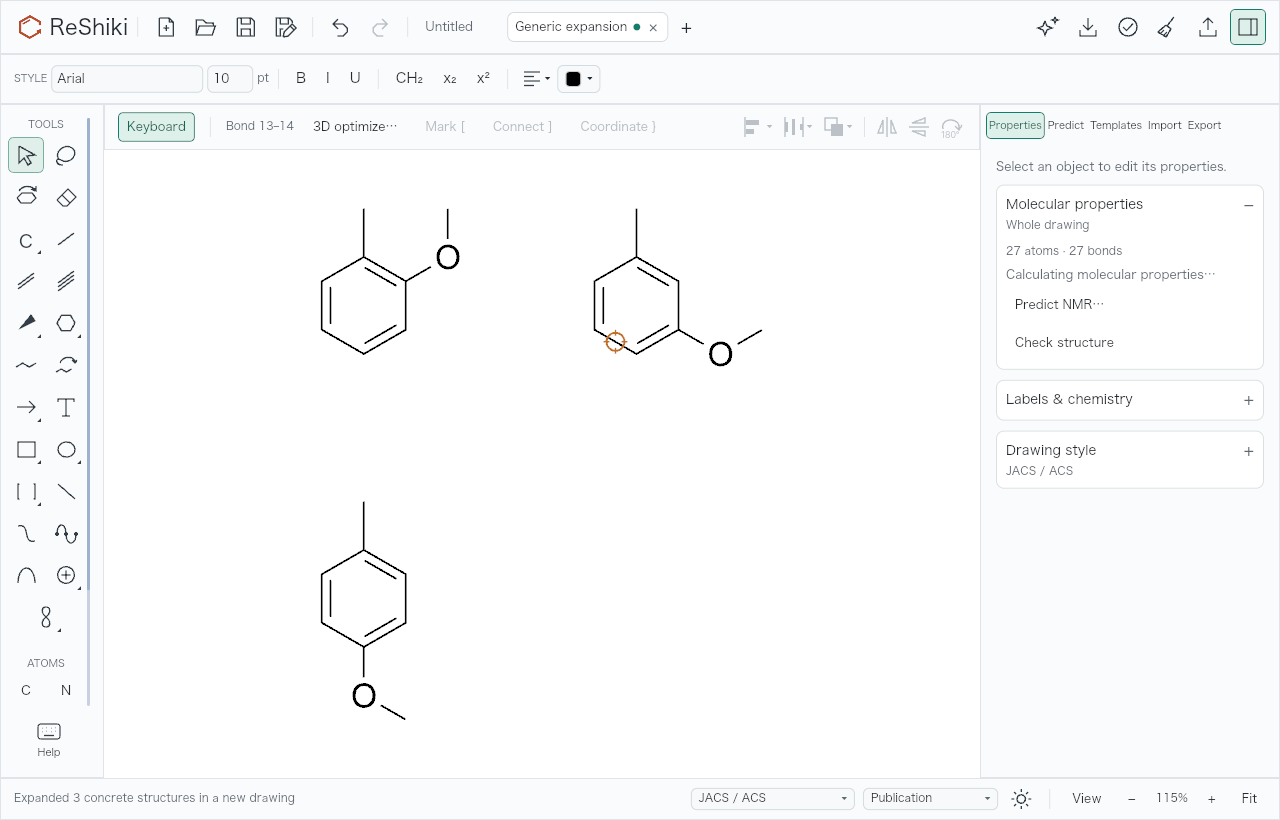
- All products open together in one new tab, Generic expansion. Duplicates are removed.
Undo in the new tab removes all products. The source tab and its Undo history do not change. Save the source and the products as separate .rsk files.
Limits
Section titled “Limits”Expansion stops if it would create more than 500 structures or 100,000 atoms, counted before duplicates are removed, or if it needs too much work. Long repeat units can reach the work limit: PET, for example, expands up to 5 units. If any product fails, nothing is added. R and X placeholders, [NOT …] lists, n counts and the Head to head and Mixed / unknown patterns are kept but not expanded. Molecular properties, identifiers, NMR prediction and joining wait until you expand; ordinary molecules in the same drawing still work. A crowded or ambiguous placement rejects the whole expansion and keeps the source.