ReShiki 0.12.0
ReShiki 0.12.0 adds chemical names, NMR prediction, generic structures, atom maps, rear opacity, pen paths and arrows that attach to atoms. Atom labels work more like ChemDraw, and MOL files keep their 3D coordinates. Windows and Office work more reliably, and an experimental agent API lets AI agents use ReShiki. Installed applications still work on your computer without Python, RDKit or uv.
File compatibility
Section titled “File compatibility”Drawings saved in 0.12.0 use document version 26, even when they use none of the new features. ReShiki 0.11.0 and earlier cannot open them. ReShiki 0.11.0 says that the drawing was made with a newer version and asks you to update. Older drawings still open in 0.12.0. If you share files with people on 0.11.0, keep a copy saved by 0.11.0.
Copy and paste changed
Section titled “Copy and paste changed”Cmd/Ctrl+C no longer adds SMILES text. It copies the drawing, so PowerPoint and Word paste a vector picture and ChemDraw pastes an editable structure (it may first ask whether to keep the copied settings). To paste a structure into a text field such as SciFinder’s, use Cmd/Ctrl+Alt+C.
Highlights
Section titled “Highlights”- Type a chemical name to insert its structure, or label a molecule with its systematic name. Names are converted on your computer.
- Predict ¹H and ¹³C NMR shifts that link to the atoms of a molecule, under Predict.
- Draw element lists, variable positions and repeating units, including polyesters, then expand them into every concrete structure.
- Map atoms between reactants and products, with Auto-map to suggest a mapping.
- Fade the back of 3D cages with Rear opacity, and keep 3D coordinates when you open or export MOL files.
- Draw pen paths, and mechanism arrows that follow the atoms, bonds and lone pairs they point at.
- Type
Pd2+to set a charge, format label characters with Cmd/Ctrl+- and Cmd/Ctrl++, and draw bonds from text labels. - Try the experimental agent API:
reshiki --mcpfor AI agents,reshiki --clifor the terminal, andreshiki --cli skillto write an Agent Skill.
Previous release: ReShiki 0.11.0. The changes below keep their contributor credits and links to their reviews.
Drawing and editing
Section titled “Drawing and editing”-
Clearer controls for the new features. The new panels use the same controls as the rest of the inspector, NMR opens under Predict, and status messages are shorter. Chemical names… in the right-click menu opens the names inspector, and clicking a dative bond again with the Dative tool swaps donor and acceptor, like Reverse bonds. Background jobs, menus and export notices also behave more reliably. Writing and terms · #319 · @Ameyanagi.
-
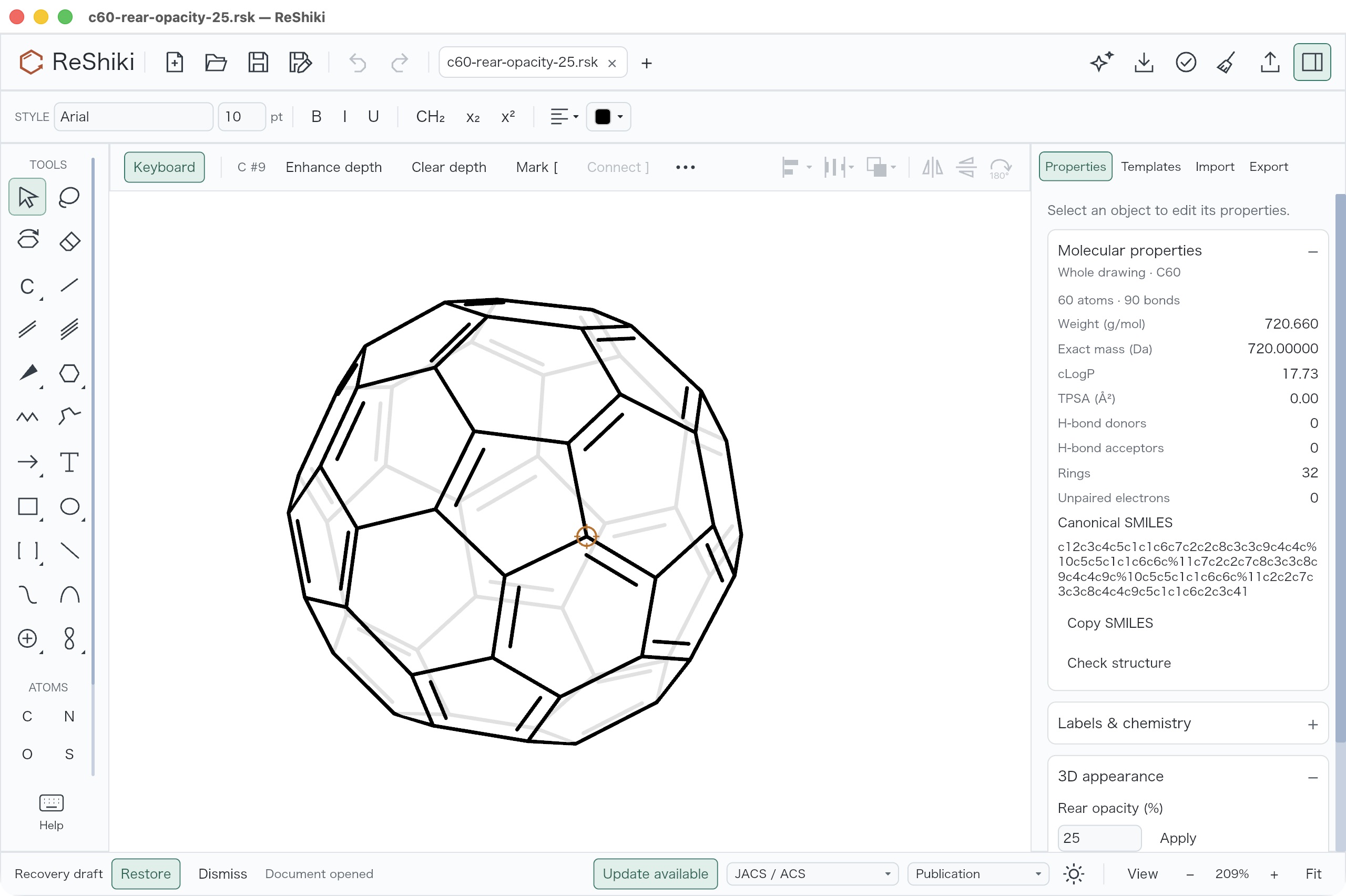
Rear opacity. Make the bonds behind the front face of a 3D molecule lighter in Properties → 3D appearance → Rear opacity, while the visible outline stays solid. How to use · Details · Review · Image · #289 · @Ameyanagi.
-
Double bonds on tilted cages. The second stroke of a double bond in a tilted C60 or other cage follows its ring face instead of floating. Molecular coordinates and properties do not change. Review · #271 · @Ameyanagi.
-
Reference align/stretch. Turn a bond or shape edge to an exact angle, rotate copies around a shared center, or stretch one bond while the rest stays rigid, in Properties → Transform → Reference: align / stretch. How to use · Details · Review · #278 · @Ameyanagi.
-
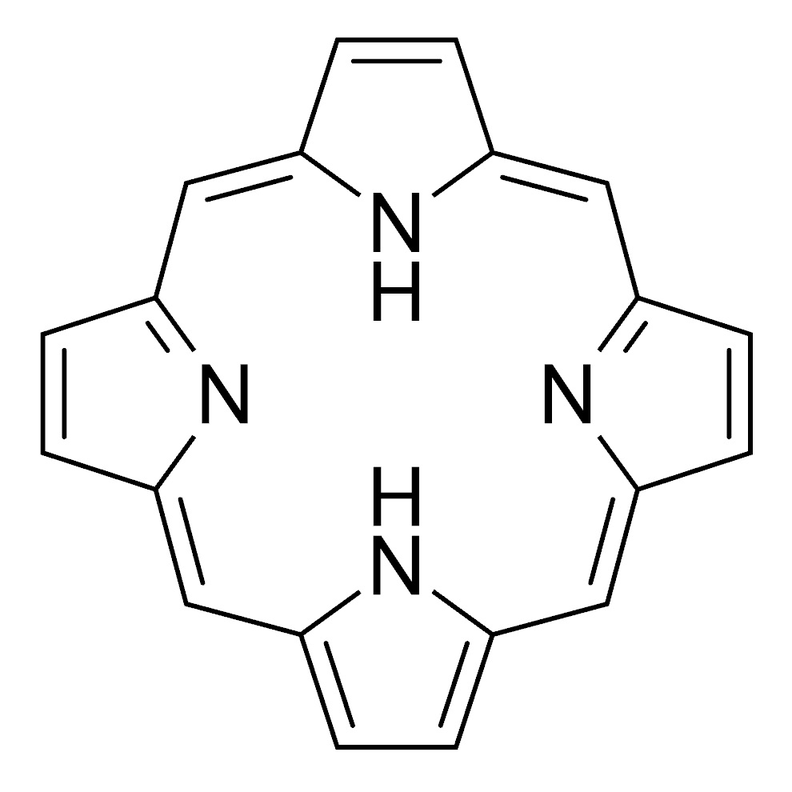
Porphine template. Place free-base 21H,23H-porphine from Templates → Macrocycles, with equal bonds and both N–H labels inward, or build the scaffold with reference align/stretch. How to use · Details · Review · #287 · @Ameyanagi.
-
Hydrogen positions follow flips and rotations. Flip horizontal, Flip vertical and rotation keep a fixed Hydrogen position on the matching side. Other angles take the nearest side, and an exact 45° diagonal picks Left or Right. Automatic stays automatic, label text stays upright, and porphine’s N–H labels stay inward after a vertical flip. Review · Image · #308 · @Ameyanagi.
-
Charges and formatting in atom labels. Type an element with its charge, such as
Pd2+orCl-, to set the charge of the atom. In the label editor, Cmd/Ctrl+- and Cmd/Ctrl++, or X₂ and X², format the selected characters. As in ChemDraw, the first press sets the style even where the label already looks subscripted or superscripted..rskand ChemDraw files keep that formatting. Text labels such asM2+andR1are drawn as M²⁺ and R₁, and a bond can start or end on a short caption, which then becomes an atom label. How to use · #319 · @Ameyanagi. -
Join three or more atoms. Join (Ctrl+J, ⌘J on macOS) merges three or more selected atoms into the first one you selected, and Merge atoms also merges four atoms that form two bonds. Surrounding atoms stay in place. How to use · Details · Review · #295, #300 · @Ameyanagi.
-
Coordinate in place. Connect donor atoms to a metal without moving anything with Coordinate in place…, or select a donor and a metal and press Ctrl+J (⌘J on macOS). Close a chelate one donor at a time, and show the contact as a wedge or hash. How to use · Details · Review · Shortcut review · #283 · @Ameyanagi.
-
Generic structures. Keep element lists, variable attachment positions and repeating units in the drawing, then choose Expand generic structures to open every concrete structure in one new tab. Substituents attach outward at the normal bond length, and duplicate products are removed. How to use · Details · Review · Ring placement review · #295, #302 · @Ameyanagi.
-
Polyesters and right-click expansion. Repeating units with heteroatoms, such as polyesters and polyethers, expand like carbon chains, and a tight bracket takes side atoms such as the C=O oxygen. Right-click a generic molecule and choose Expand generic structures to expand that whole molecule. If only part of a molecule is selected, Properties says “Select whole molecules, or clear the selection to expand the whole drawing”. Long drawn polymers can reach the work limit: PET expands up to n = 5. How to use · Details · #319 · @Ameyanagi.
-
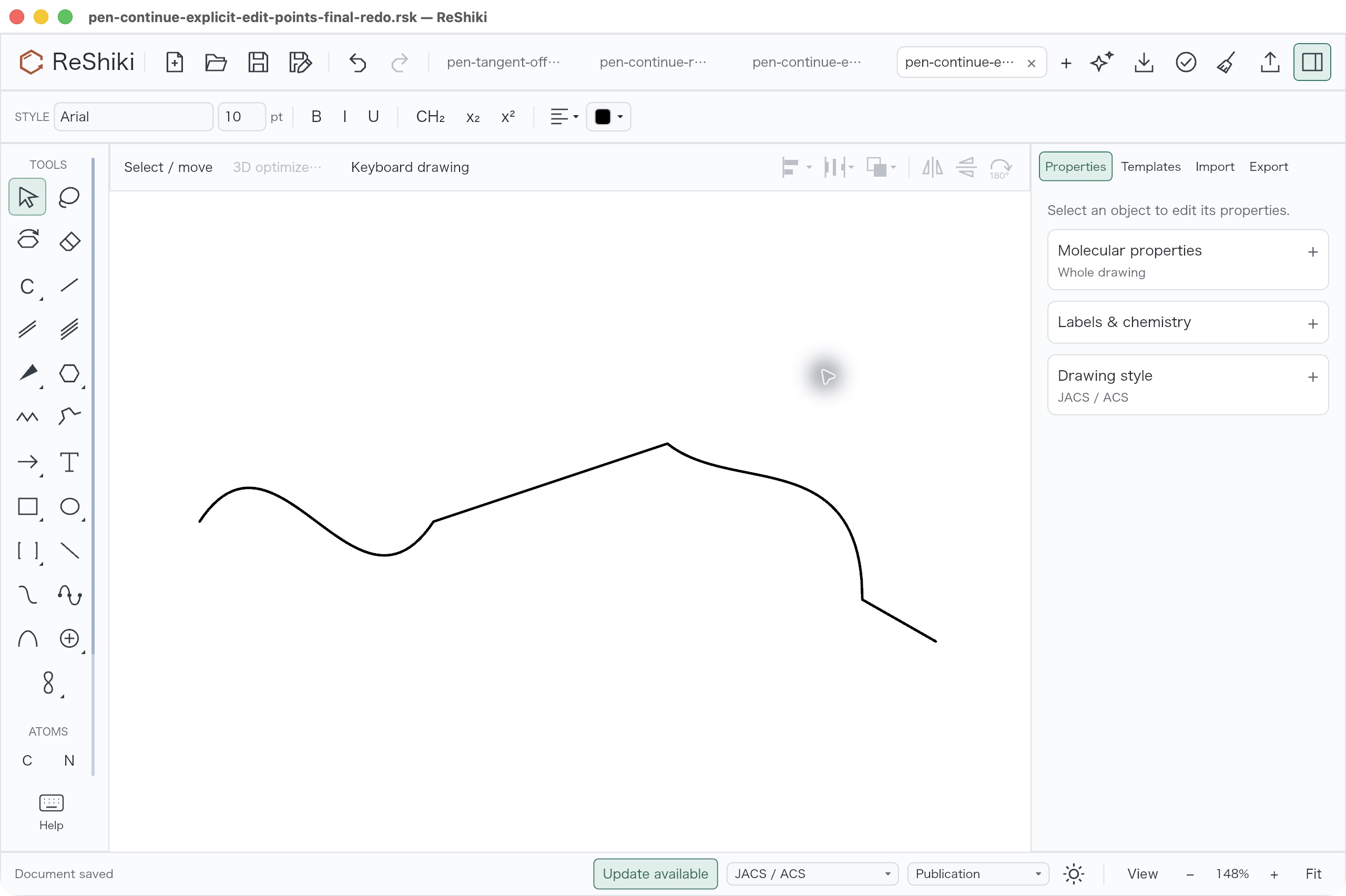
Pen paths. Draw straight and curved segments as one object with Pen path, then move nodes and directions with Edit curve points. How to use · Details · Review · Image · #288 · issue #67 · @Ameyanagi.
-
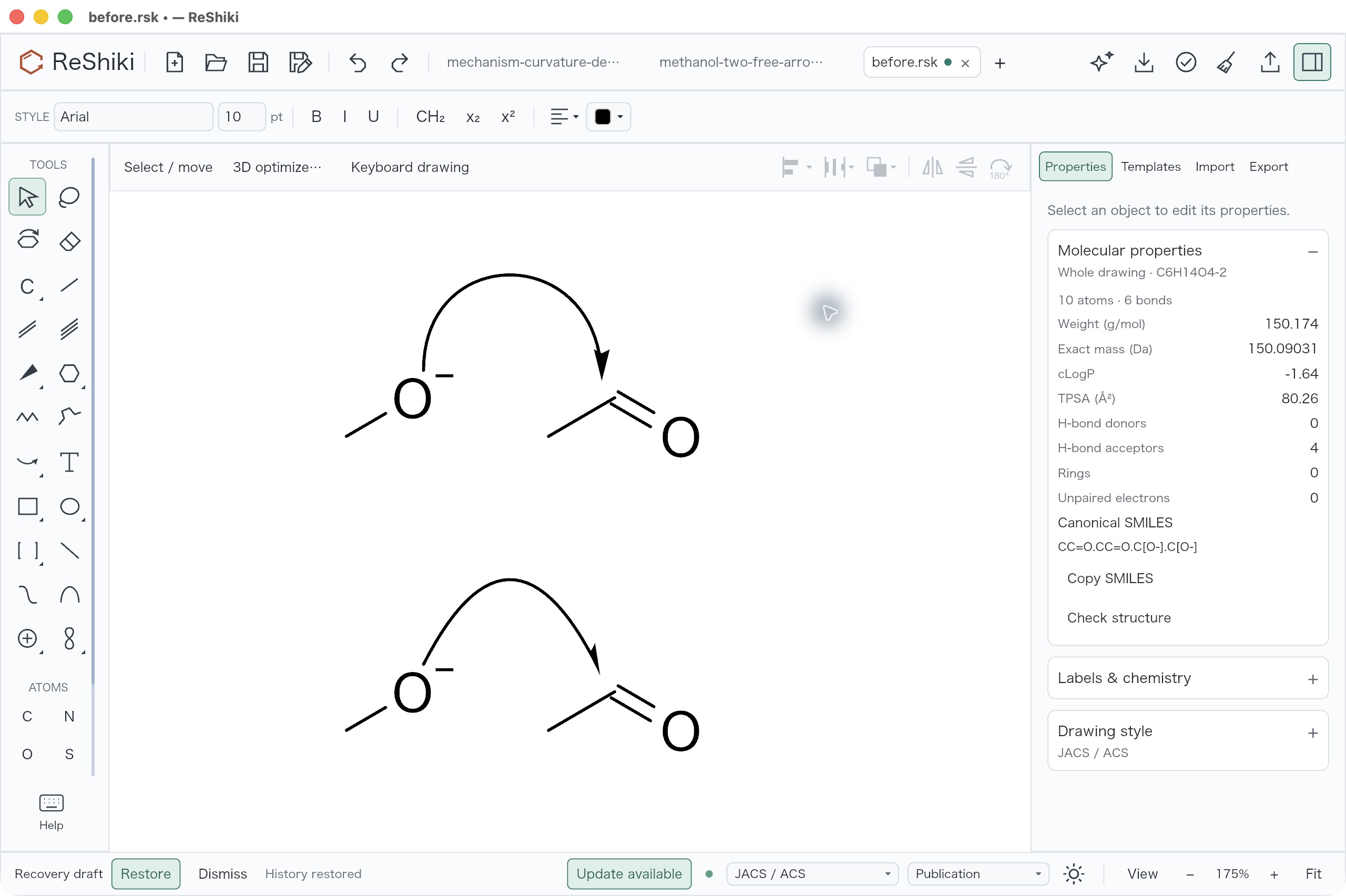
Curved arrow ends. Drag the square handles of a curved arrow to change how each end leaves or arrives, without moving the ends. How to use · Details · Review · Image · #276 · issue #91 · @Ameyanagi.
-
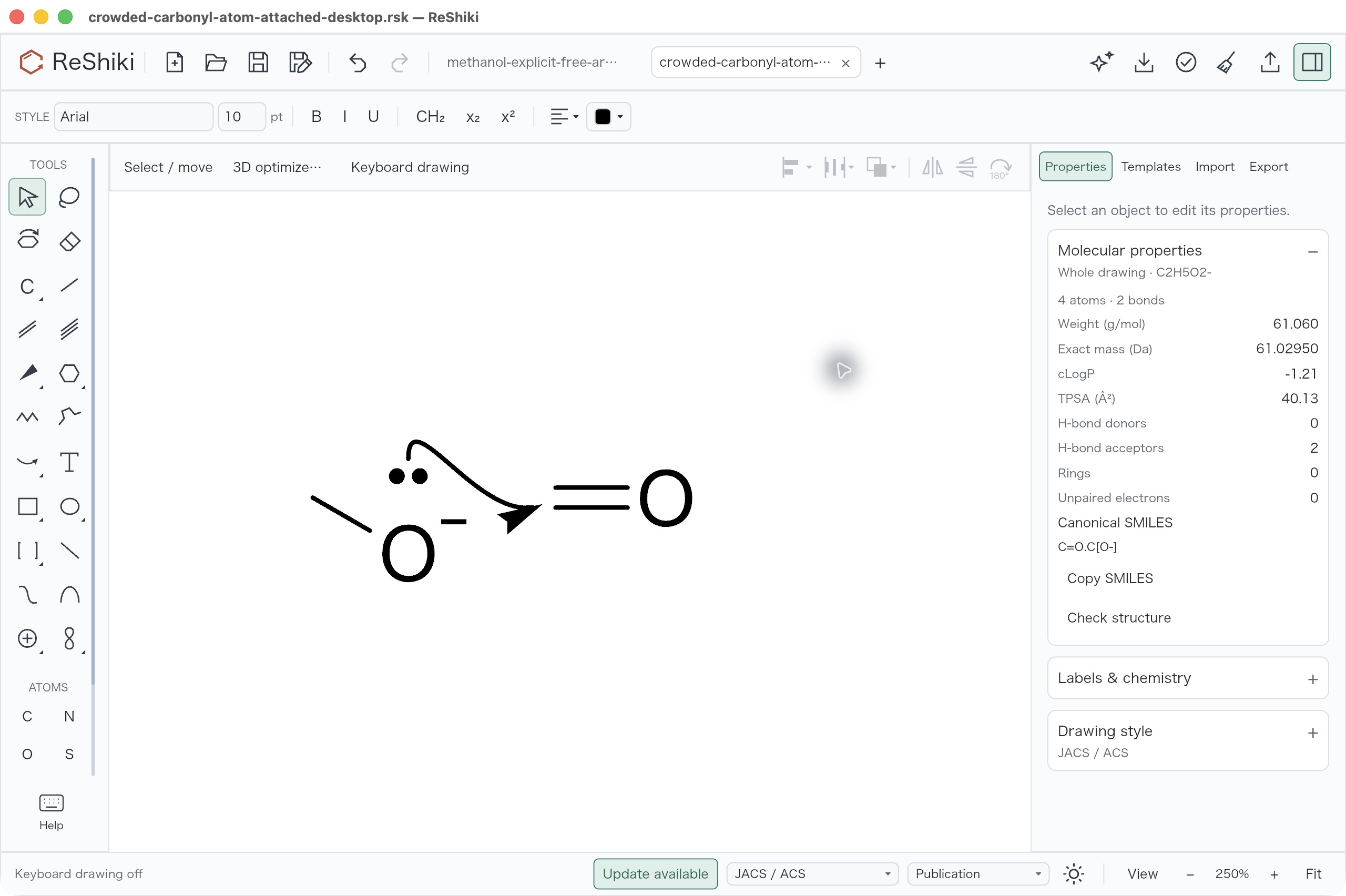
Arrows that attach to atoms. With Curved / electron pair or Single electron, click a source atom, bond or lone pair and then a destination; the arrow follows its targets when they move. Detach start and Detach end release an end. How to use · Details · Review · Image · #286, built on #276 and merged through #297 · issue #92 · @Ameyanagi.
-
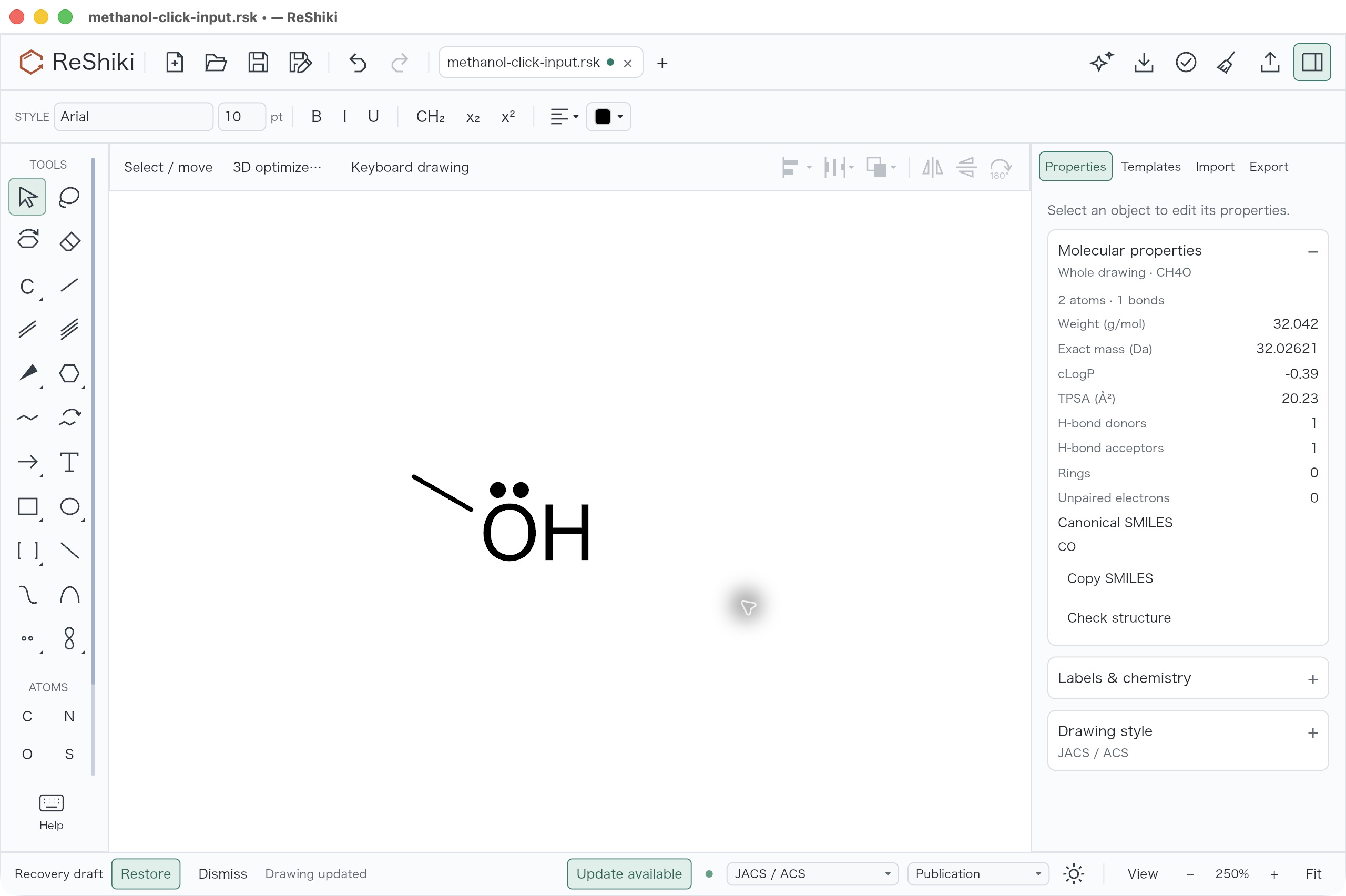
Drawing-tool defaults. Chain tools have clearer icons and hints, orbitals have Snap to atoms (hold Option/Alt to place freely) and leave a gap around atom labels, and new lone pairs sit closer to their atom. Marks you placed yourself do not move. Details · Review · Image · #277 · issues #250, #90, #249 · @Ameyanagi.
Reactions
Section titled “Reactions”- Atom maps. Number corresponding atoms in the Atom maps section of the reaction inspector, or choose Auto-map to get a suggestion that you review before Apply maps. Align mapped structures lines the products up with the reactants. How to use · Details · Review · #294 · @Ameyanagi.
Chemistry tools
Section titled “Chemistry tools”-
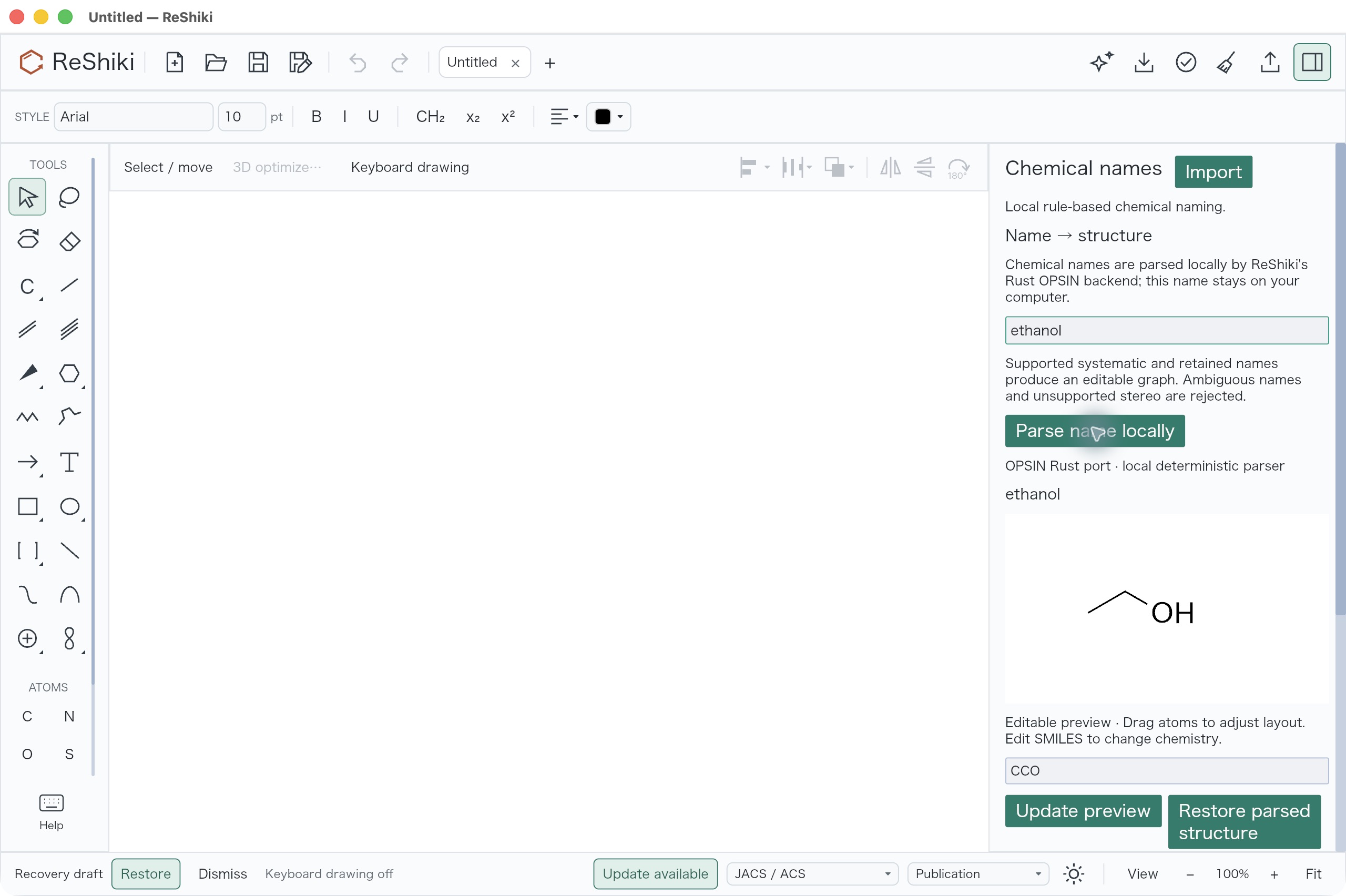
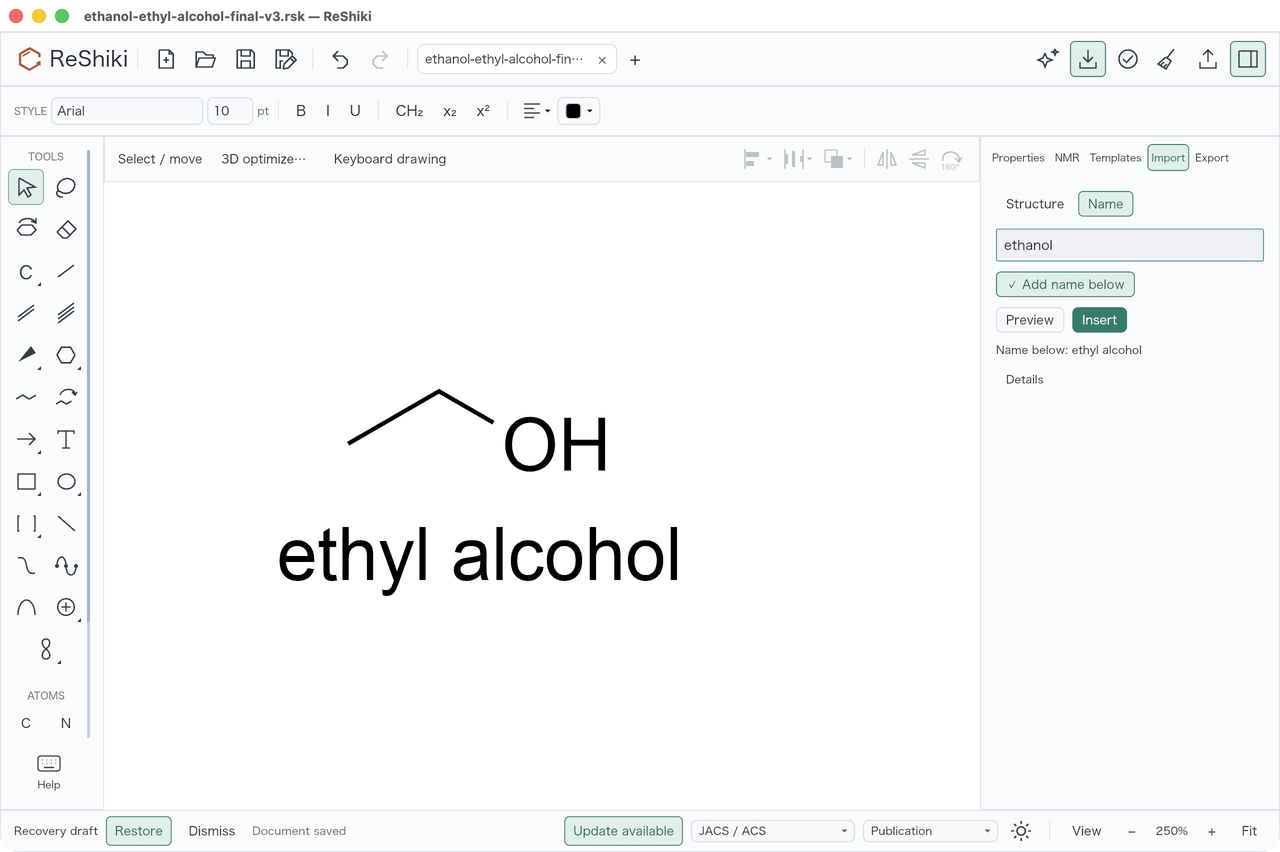
Chemical names. Type a name in Import → Name to insert its structure, or right-click a molecule and choose Show chemical name. Names are converted on your computer. Import → Name → Details also lists other names from a bundled offline catalog with their source and license: Copy copies one, and Use below captions the next insertion. Generate selected name in the same Details area names the selected molecule, and
(+)-lactic acidreads as (S)-lactic acid. How to use · Details · Review · Dock and caption review · Alias review · (+)-Lactic acid review · Image · Caption image · #291, #292, #293, #309 · @Ameyanagi. -
NMR prediction. Choose Properties → Predict NMR… to predict ¹H and ¹³C shifts for one molecule. Each value links to its atom, and the report floats beside the drawing or docks under Predict → NMR. How to use · Details · Review · #272 · @Ameyanagi.
-
Limits that fit your computer. 3D work on larger drawings and imports of fused rings get calculation limits that scale with the free memory of your computer. A job that starts can still stop at its time limit. Details · Review · #279 · issues #245, #248 · @Ameyanagi.
Import and export
Section titled “Import and export”-
3D coordinates in MOL files. Opening a MOL file with 3D coordinates keeps them, so you can tilt the molecule, and ordinary hydrogens become H counts. MOL export keeps the 3D coordinates too, except for Haworth drawings. If the drawn stereo no longer matches the 3D shape, for example after you edit a wedge, export writes a flat drawing and says so. Details · Review · #282, #296, #319 · @Ameyanagi.
-
Pasted MOL text with lost spaces. MOL text copied from a chat or web page imports even when the copy drops the leading spaces of its lines. Details · #319 · @Ameyanagi.
-
ChemDraw numbered attachment points. ChemDraw 26 files and pastes with numbered attachment points, such as SiMe₃ groups, open as editable structures instead of failing. Review · #284 · issue #247 · @Ameyanagi.
-
Copy drawing or chemical text. Cmd/Ctrl+C copies the drawing, the same on every platform: ReShiki and ChemDraw paste it as editable chemistry (ChemDraw may first ask whether to keep the copied settings), Office as a vector picture, and browsers and chat apps as a picture. Cmd/Ctrl+Alt+C copies SMILES, or ChemDoodle JSON for one clear reaction, for text fields such as SciFinder’s. Details · #319 · @Ameyanagi.
-
Paste keeps editable chemistry first. Paste uses ReShiki drawings, then ChemDraw data, then MOL or SMILES, then text that is a structure, and only then pictures, so a SMILES copied from Excel pastes as a molecule. If one format cannot be read, Paste tries the next. Pictures keep the canvas colors with a transparent background: switch the canvas to black for dark slides. Details · #319 · @Ameyanagi.
Windows and Office
Section titled “Windows and Office”-
SVG for Office. Export SVG for Office for Word and PowerPoint. Text becomes outlines, so labels look the same in Office; ordinary SVG keeps editable text. How to use · Review · #290 · @Ameyanagi.
-
EMF pictures on Windows. Insert
.emfpictures, such as spectra, at their recorded size..rskfiles keep the original vectors and a preview that opens on every platform. How to use · Details · Review · #285, #296 · issue #64 · @Ameyanagi. -
More reliable Office paste on Windows. ReShiki retries when another app briefly holds the clipboard. Review · #305 · @Ameyanagi.
-
Readable panels on Windows. On Windows, floating panels and menus, including the NMR report and its label menu, draw a border instead of a drop shadow, so they stay readable after repeated redraws. Review · #310 · @Ameyanagi.
-
The editor window fits the screen on Windows. It fits inside the screen’s work area at startup and when the display scale changes. Review · #273 · @Ameyanagi.
-
Open files in tabs on Windows and Linux. Opening a file while ReShiki runs adds a tab to the running window, and a file that is already open switches to its tab. Each Office drawing gets its own tab, so saving updates only that Office document. How to use · Review · Windows checks · Linux X11 checks (#307) · #274, merged through #300 · @Ameyanagi.
Assistant
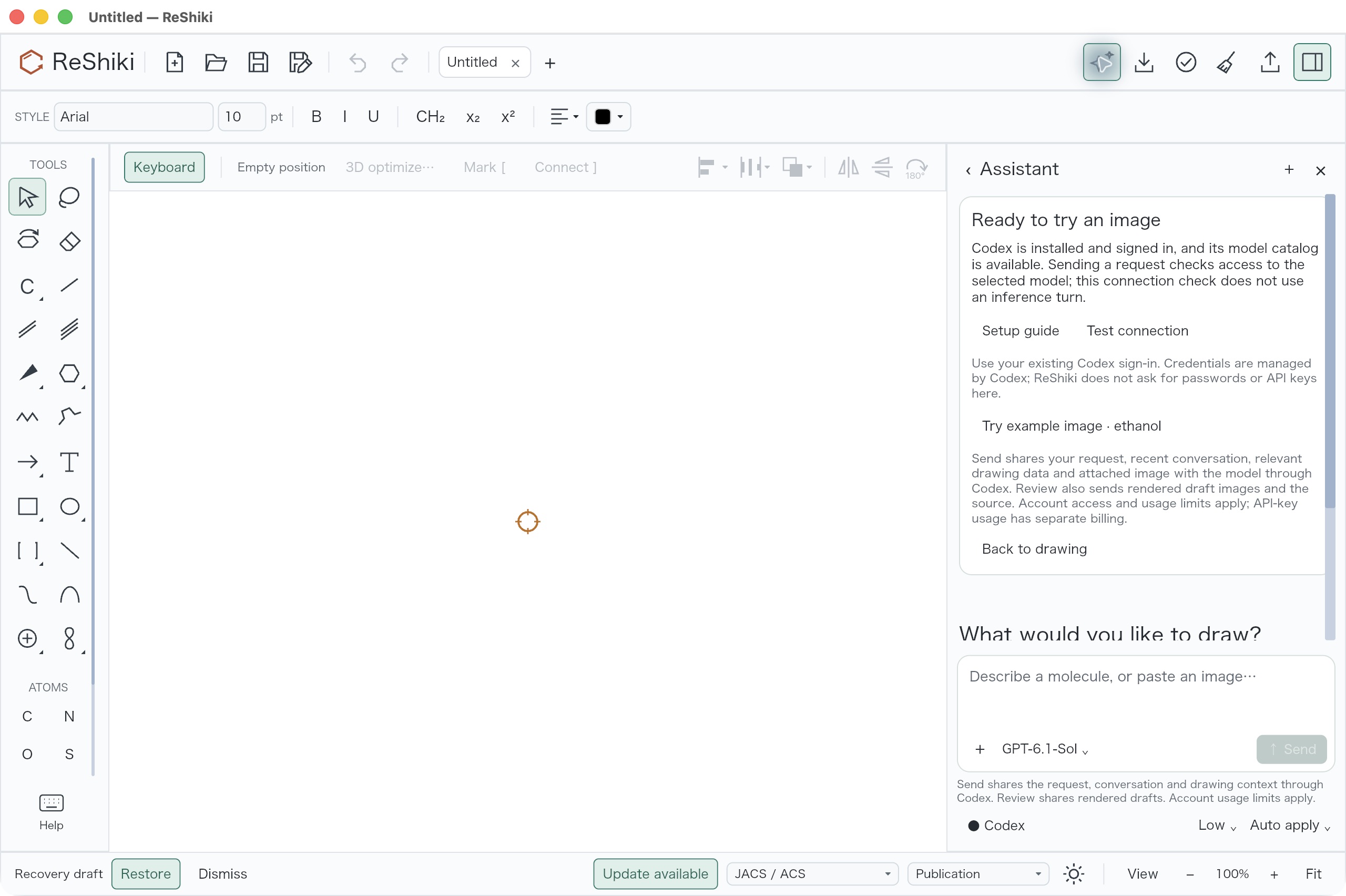
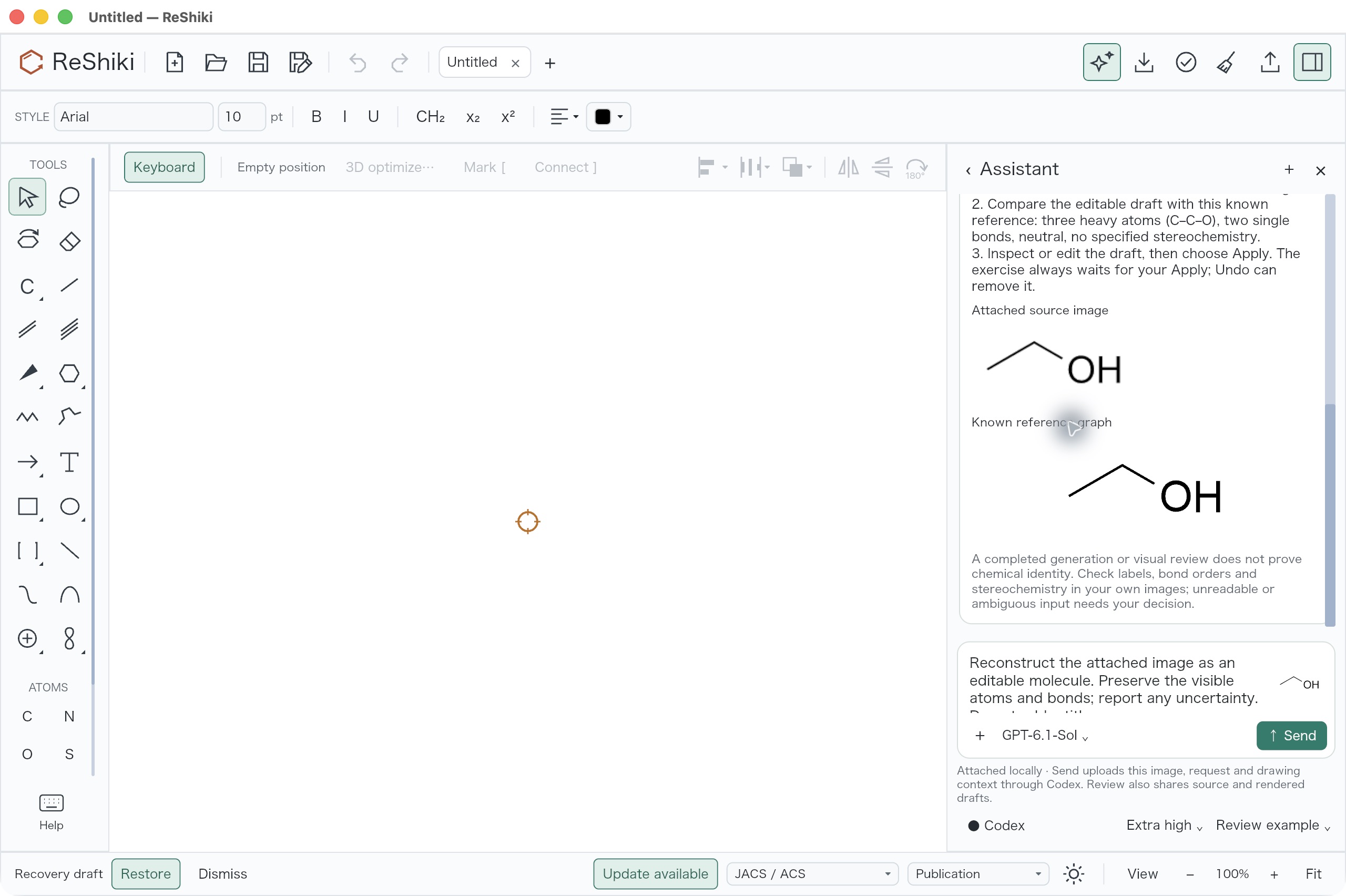
Section titled “Assistant”- Assistant setup and a first example. The Assistant panel walks you through installing Codex, signing in and testing the connection, then offers a small ethanol image to try. The draft waits for Apply, so you can check it first. How to use · Details · Review · Setup image · Example image · #280 · @Ameyanagi.
Agent API
Section titled “Agent API”- Experimental agent API.
reshiki --mcplets Claude Code, Claude Desktop, Codex and other MCP clients import, analyze, render, compose, edit and export drawings, and save them only into folders you grant.reshiki --cliconverts, renders, composes and analyzes from a terminal. Tools and results may change. Setup guide · Overview · Command line · Privacy · Acceptance record · @Ameyanagi. - Agent skill (experimental).
reshiki --cli skill -o FOLDERwrites an Agent Skill that teaches Claude Code, Codex and other agents to use ReShiki: the workflow, command recipes with your executable’s path, the tool reference and the Proposal schema. Write it again after updating ReShiki. Agent skill · #319 · @Ameyanagi.
Known limits and pending checks
Section titled “Known limits and pending checks”- Join: selection and placement accuracy, the Co(en)₃ example and arrowhead and tip appearance still need work (issue #246).
- Office, high-DPI and Linux desktop: the Windows checks so far ran at 100% display scale. Fresh Office checks, high and mixed display scales on Windows, rear opacity and attached arrows on Windows, and Linux desktop, file-manager and Office save-back checks are still pending.
- Paste into ChemDraw: when the ReShiki drawing settings differ from the ChemDraw document’s, ChemDraw first asks whether to keep the copied settings. Until you choose As Copied or Adopt Current, the page looks empty and ChemDraw’s menus are unavailable; the dialog can open behind other windows. (issue #88).
- Assistant: a draft that looks right can still be the wrong molecule. Check it before Apply.
- Pen paths: freehand tracing is not supported.
- Generic structures: long drawn polymers can reach the work limit. PET expands up to n = 5.
- Windows signing: public Windows downloads are unsigned while the SignPath Foundation release certificate is pending.
Build and verification
Section titled “Build and verification”- Nightly naming checks. Application and renderer tests use the naming
helper built for each Windows, macOS and Linux release target. After the
missing-helper failures in
run 38116417137,
Nightly run 38123945065
built all six platforms and published
0.11.0-nightly.20261011.38123945065.1
from
8e38151190eb2c3814df23a3eb166fb21c972d64. #304 · @Ameyanagi. - Windows Nightly check. Arc editing with Undo/Redo, tab activation, ethanol insertion with its caption and a floating NMR report passed on the published Windows Nightly at 100% display scale. Record · #306 · @Ameyanagi.
- Windows signing. SignPath-signed x64 and ARM64 applications and installers are verified, and internal test-signed Nightly artifacts are kept. Setup guide · #270 · @Ameyanagi.
- Assistant image benchmark. A source-tree tool records graph identity, unfinished drafts and failures for eight original synthetic images. The cohort is small and does not measure accuracy on real scans. Method and results · Provisional preview · #281, merged through #300 · @Ameyanagi.
- Combined reviews. The features were also checked together: drawing tools and NMR (#297); chemical names, captions and atom maps (#298); and coordination, Join, generic structures, Office and Windows (review, #300, with the adaptive limits and Assistant source from #299).
- Release preparation. Update the version, the release notes and the documentation for 0.12.0. #320 · @Ameyanagi.
