Draw with the assistant
Describe the drawing
Section titled “Describe the drawing”Open Assistant, describe what to draw, then Send. Try:
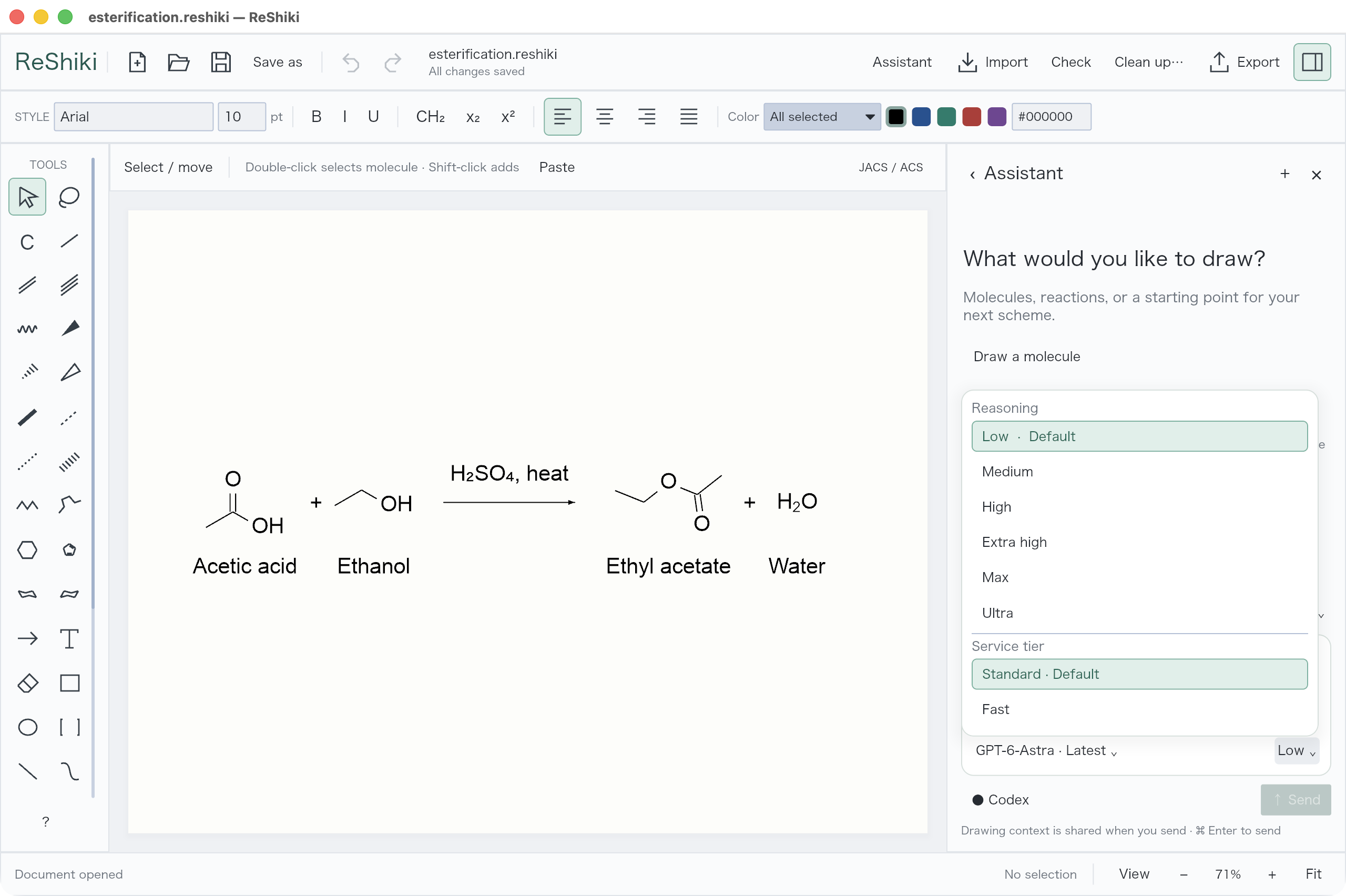
Draw the esterification of acetic acid and ethanol. Put the reactants on the left, ethyl acetate and water on the right, and acid catalyst above the arrow.
The assistant receives the current drawing and can inspect its canvas image. Its proposals use your document’s drawing style. You can keep working while it responds.
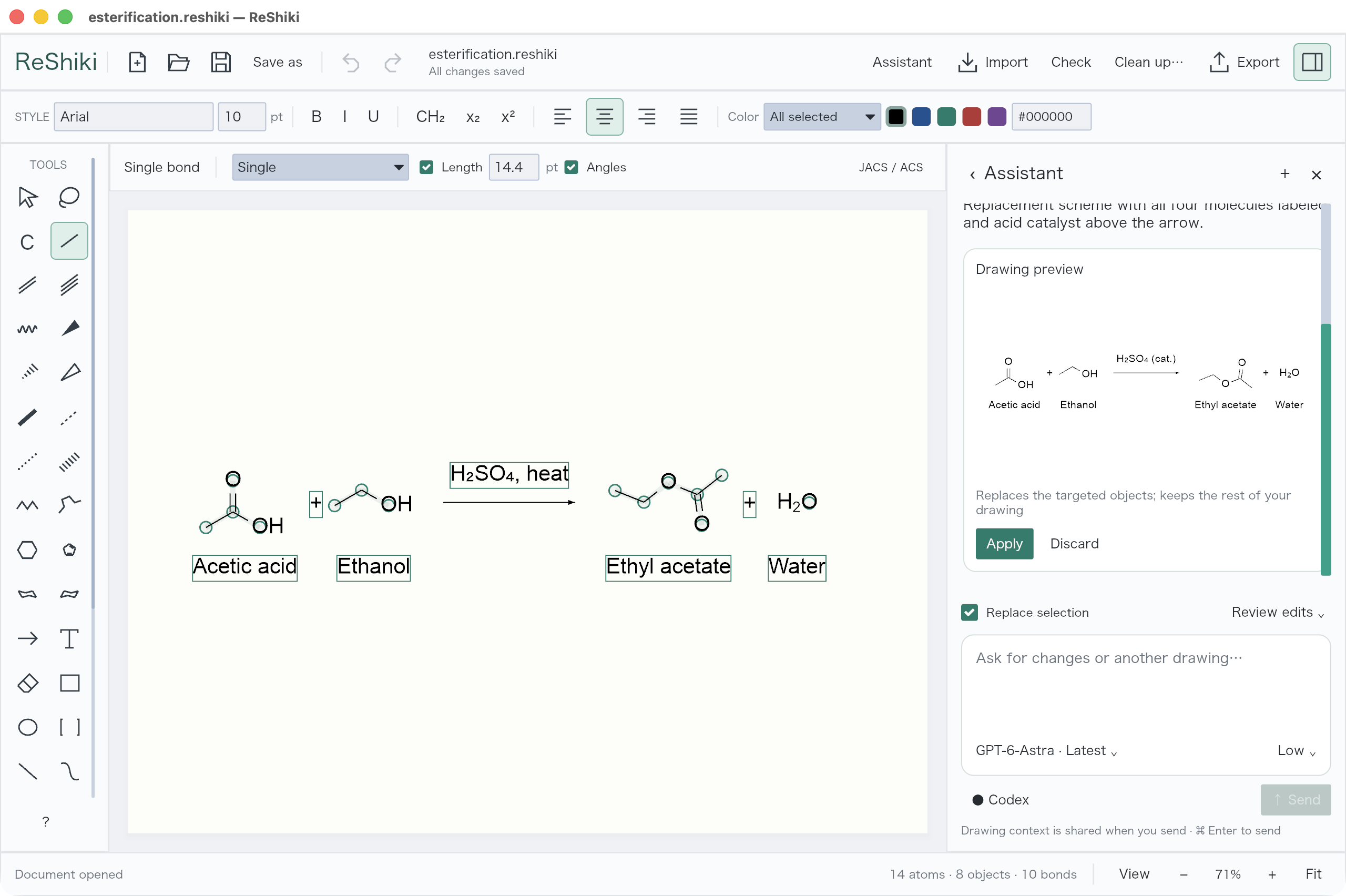
Review or apply automatically
Section titled “Review or apply automatically”| Mode | What happens |
|---|---|
| Review edits | Inspect the proposal, then Apply or Discard it |
| Accept all edits | Applies each validated proposal automatically |
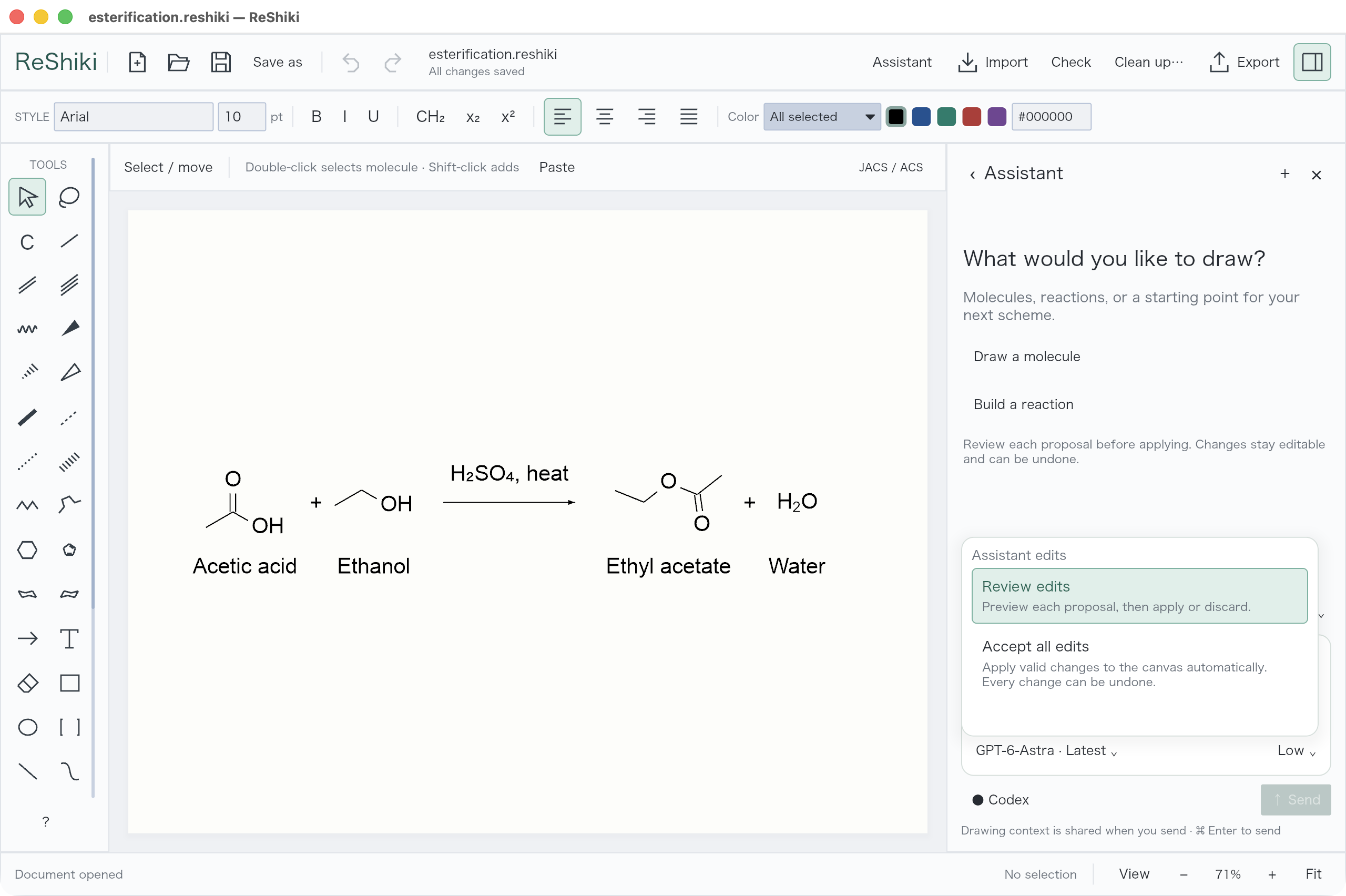
Use Replace selection when replacing part of a drawing. Undo restores the previous drawing after an applied edit, in either mode.
Ask for a follow-up such as “Move the conditions above the arrow” or “Keep the existing molecule and add its product.” Use Stop to end a running request.
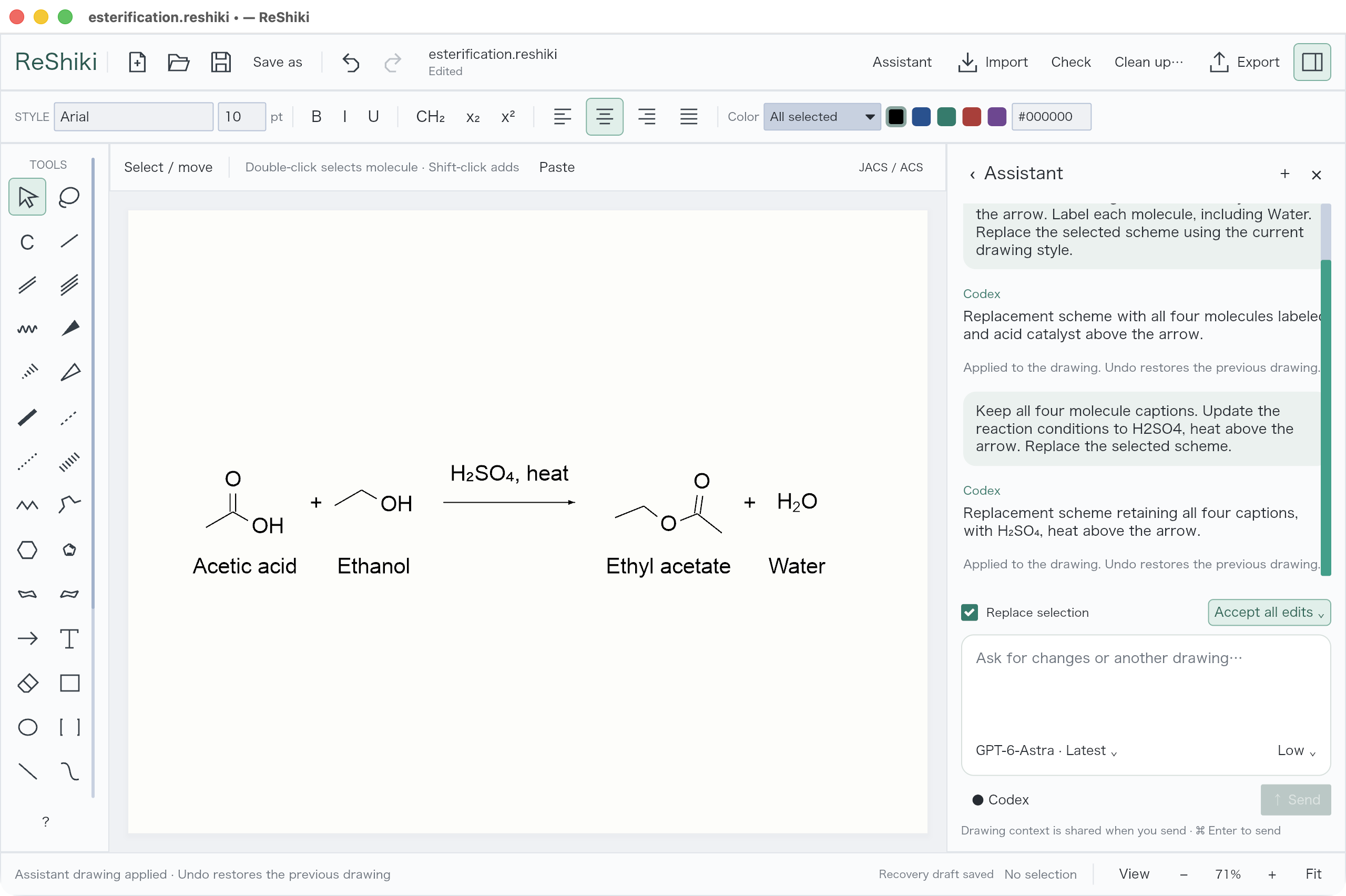
Choose a model
Section titled “Choose a model”The model menu follows the latest available model until you choose one explicitly. Open the effort menu to choose reasoning effort and service tier. Defaults are Low and Standard.
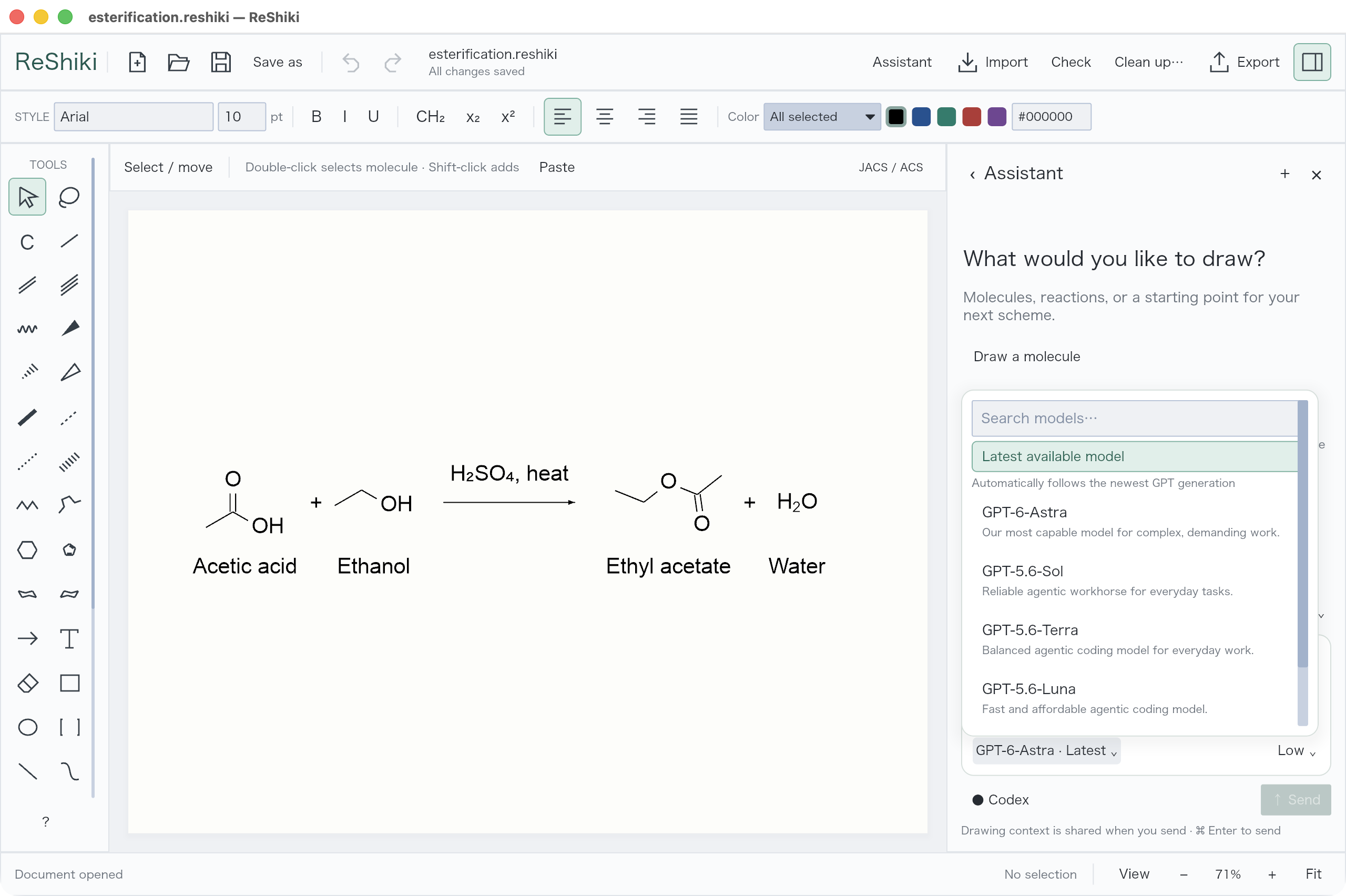
The assistant needs a Codex login and internet connection. Check the chemistry and layout before using a generated figure.